
Member of the Pennsylvania & American Institutes of Certified Public Accountants



Learn QuickBooks® from the No. 1 provider of QuickBooks Training in Greater Pittsburgh
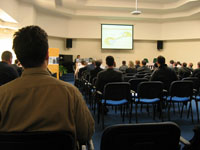 In addition to our scheduled QuickBooks training seminars, we offer on-site consultations and phone support.
Dennis Piper & Associates is the number one provider of QuickBooks seminars in Greater Pittsburgh, offered through the Small Business Development Center (SBDC). We can also work with you and your staff one-on-one to ensure that you are getting the most out of your QuickBooks accounting software. QuickBooks training is provided on site or in our Blawnox office.
To learn more about any of the following QuickBooks Training Seminars in Greater Pittsburgh and Western PA, please contact us at 412-826-8600.
The SBDC centers all offer the seminars for a small fee.
QuickBooks Training Locations:
-
Duquesne University Small Business Development Center
412-396-6233 - St. Vincent College Small Business Development Center
724-537-4572 -
Community College of Beaver County
724-480-3575
Upcoming Class Dates
March 25, 2015: QuickBooks Basic Training Seminar in cooperation with Duquesne University Small Business Development Center (Wednesday, 9AM to Noon)
April 22, 2015: QuickBooks Advanced Training Seminar in cooperation with Duquesne University Small Business Development Center (Wednesday, 9AM to Noon)
May 20, 2015: QuickBooks Reports Training Seminar in cooperation with Duquesne University Small Business Development Center (Wednesday, 9AM to Noon)
April 21, 2015: QuickBooks Basic Training Seminar in cooperation with St. Vincent College Small Business Development Center (Tuesday, 9AM - Noon)
May 05, 2015: QuickBooks Advanced Training Seminar in cooperation with St. Vincent College Small Business Development Center (Tuesday, 9AM - Noon)
May 19, 2015: QuickBooks Reports Training Seminar in cooperation with St. Vincent College Small Business Development Center (Tuesday, 9AM - Noon)
October 06, 2015: QuickBooks Basic Training Seminar in cooperation with St. Vincent College Small Business Development Center (Tuesday, 9AM - Noon)
October 20, 2015: QuickBooks Advanced Training Seminar in cooperation with St. Vincent College Small Business Development Center (Tuesday, 9AM - Noon)
November 03, 2015: QuickBooks Reports Training Seminar in cooperation with St. Vincent College Small Business Development Center (Tuesday, 9AM - Noon)
"Thank you for making these opportunities available. I find these sessions very informative and they stimulate my brain to find ways to utilize QB to our best advantage. Your presenters do a wonderful job and are so capable answering questions that are offered from the group. My appreciation for this accounting software has grown as a result." - Vicki Beaufort
Overview of QuickBooks Classes in Greater Pittsburgh and Western PA
QuickBooks Basic Training Seminar
- Set-up of the Company File
- Define/Modify Company Chart of Accounts
- Set-up and Edit New Vendors
- Process Accounts Payable
- Enter Manual Checks
- Set-up and Edit New Customers
- Process Invoices
- Apply Cash Receipts and Make Deposits
- Prepare Bank Reconciliation
- Financial Reports
back to class dates
QuickBooks Advanced Training Seminar
- Working with Inventory
- Handling Sales Tax
- Processing and Accounting of Payroll
- Using Estimates and Time Tracking
- Tracking and Working with Accounts Payable
- Designing the Item List
- Recording Business Credit Card Transactions
- Financial Reports
back to class dates
QuickBooks Reports Training Seminar
- Creating Quick Reports
- Creating & Customizing Preset Reports
- Saving Report Settings
- Exporting Reports to Microsoft Excel
- Creating Quick Insight Graphs
- Generating a Budget in QuickBooks
- Customizing Templates
- Preparing
Letters
back to class dates
QuickBooks Point of Sale Training Seminar
- Overview of Retailer Challenges
- Overview of Inventory Flow and Core Point of Sale Functions
- Setting up Inventory Items
- Making Sales
- Buying Merchandise
- Customizing Point of Sale
- End of Day Procedures
- Integration with QuickBooks Financial Software
- Multi-Store Exchanges
- What's New in Version 8.0
- Introduction
Storefront (Web
Store)
back to class dates
See Also: